How to Design Your Commercial Table in 2 Minutes
- Share
- publisher
- Zoey
- Issue Time
- Sep 23,2026
Summary
Learn how to use the AEONTI online configurator to design a commercial dining table in four steps: choose your scenario, tabletop, table base, and preview it in 3D. Built for wholesalers, contractors, and restaurant owners.
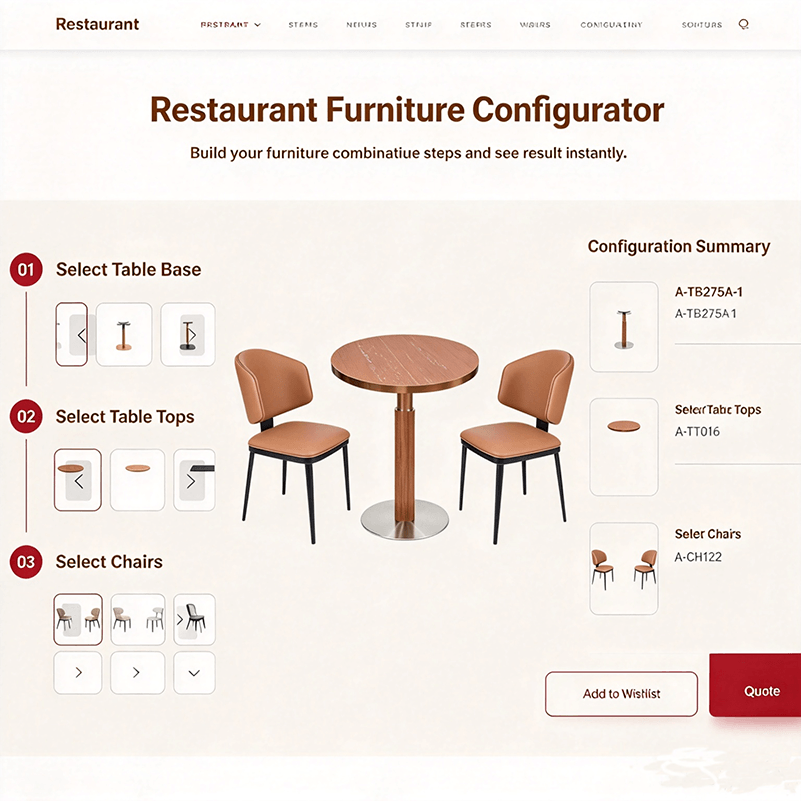
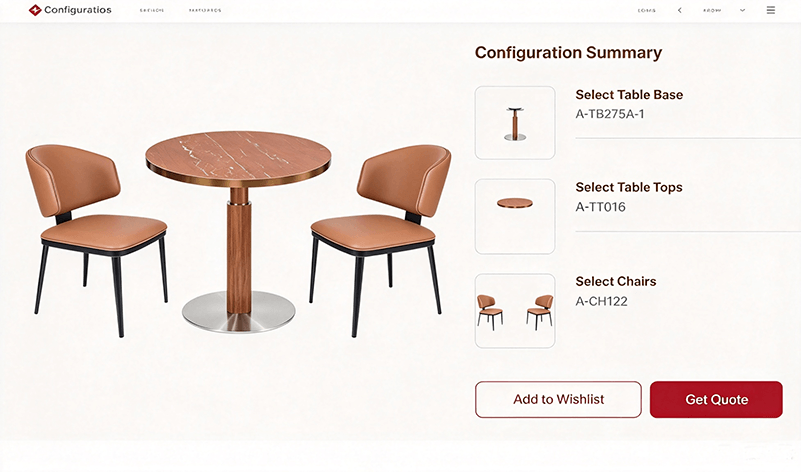
If you have ever specified commercial tables for a restaurant project, you know the routine: an email thread with an attachment named, three rounds of "what exactly do you mean by round?", and two weeks lost before anyone talks price. Most of that delay happens before engineering ever gets involved. It happens because buyers and factories describe the same table in different languages — one side speaks dimensions and materials, the other speaks pictures and vibes. That is exactly the problem our online configurator was built to solve. In this guide, we walk through how to design a commercial dining table on the AEONTI website in four steps — scenario, tabletop, table base, 3D preview — and how to turn that preview into a factory-ready specification in about two minutes. A typical custom table inquiry involves five rounds of back-and-forth before the first quote: None of this adds value. Every round exists only to translate intent into specification — which is precisely what a configuration tool does instantly. When the buyer assembles the spec themselves from real product options, the first message the factory receives is already the correct one. The online configurator follows the same sequence an experienced project engineer would walk you through — it just removes the waiting. Every commercial table starts with where it will live. A fine-dining dining room, a quick-service cafe, an outdoor terrace, a bar lounge, and a hotel breakfast area each impose different demands on stability, weight, cleanability, and finish. Choosing the scenario first does two things: it filters the compatible tabletop and base options to combinations that actually work in that environment, and it gives the factory context for engineering decisions later — for example, whether the base needs anti-rust treatment for outdoor exposure. This is where most buyer preferences live. Our wholesale table tops line covers the four material families most commercial projects use: Beyond material, you choose shape (round, square, rectangular, oval, irregular), edge profile, and surface finish — the same option set you would negotiate over email, but visible and immediate. The base determines whether the table survives commercial use. The configurator lets you pair the top with any compatible base from our wholesale table bases lines: Column styles (single-column, multi-column, irregular), base plate shapes, and finishes are all part of the selection — so the preview you see reflects the actual product system we manufacture, not a generic mockup. The moment your top and base selections are made, the 3D preview renders the complete table — proportions, silhouette, and finish combination — in real time. This is the step that replaces the three-round "I meant this kind of round" email exchange. You can iterate freely: swap a tulip stainless base for a four-cross cast iron base, change the top from sintered stone to HPL, and see each combination rendered before committing. When the preview matches what you pictured, the configuration is ready to send. The configurator is the front door to our custom commercial dining table service, not the whole house. Once you submit a configuration, the process runs through the same six stages as any custom project: Because the tabletop mounting openings and base top plates come from one integrated system, the top you configure and the base you configure are engineered to fit — no adapter plates, no compatibility surprises at assembly. Two minutes of configuration saves different people different things: The configurator is free, requires no download, and takes about two minutes for a complete table design. When your preview looks right, send it — the first quote you receive will already be for the table you meant.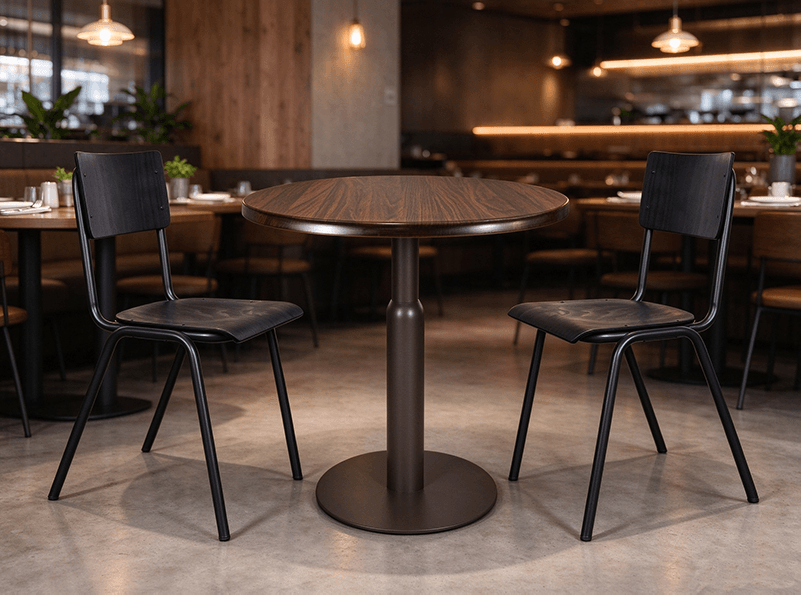
Why Traditional Table Sourcing Takes Weeks (and Doesn't Have To)
Round What Happens Time Lost 1 Buyer sends reference photos and a rough description 1–2 days 2 Factory asks for dimensions, top material, and base type 1–2 days 3 Buyer clarifies; factory misreads one requirement 2–3 days 4 Revised spec, new quote, another time-zone gap 2–3 days 5 Both sides finally align on the same table 1–2 days The 4-Step Workflow: From Blank Page to 3D Preview
Step 1: Select Your Usage Scenario
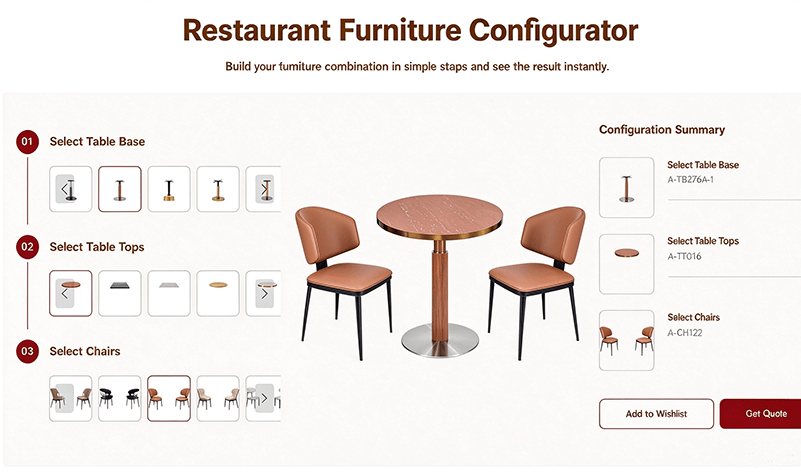
Step 2: Select the Tabletop
Step 3: Select the Table Base
Step 4: 3D Real-Time Preview
From Preview to Production: What Happens After You Send It
Who This Actually Helps Most
You are… What the configurator saves you Wholesaler / distributor Test 5–10 top-base combinations before committing a 100-set order to any of them Project contractor / design firm Generate client-ready table visuals during the concept phase, before formal RFQ Restaurant owner See what your dining room's tables actually look like — without a designer retainer Brand owner (OEM/ODM) Shortlist the structural platform you want to build your brand's line on Design Your Table Now